World-Class Care
in the Heart of Miami

Ranked #1 in Ophthalmology
for the 22nd time

Nationally Ranked #20
in Neurology Neurosurgery
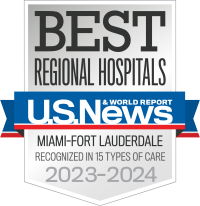
High Performing
in 3 Adult Specialties
in 10 Procedures/Conditions
CONVENIENT, QUALITY CAREFROM THE EXPERTS YOU TRUST IN-PERSON OR VIRTUAL
Discover the UHealth Difference

We are here to help.
Find a doctor, make an appointment, and search for clinical trials.
Our Doctors
Let us help you connect with world-class physicians
Appointments
Please call us to schedule an appointment.
305-243-4000
Clinical Trials
Search for a clinical trial by disease or condition
The Care You Need, When You Need It.

24/7 Expert Care, From Anywhere
UHealth NOW bilingual doctors are available 24/7, 365 days a year to diagnose non-emergency medical issues, recommend treatment, and prescribe medication.
Schedule a Video Visit
Convenient Care From the Experts You Trust
UHealth Clinic at Walgreens is here when you need same day care for minor injuries and illnesses. Same day virtual and in-person appointments are available 7 days a week.
Schedule an Appointment
Quick Expert Eye Care, From the Comfort of Your Home
Schedule a Rapid Virtual Eye Care appointment for a quick and easy way to connect virtually with one of Bascom Palmer Eye Institute’s expert providers for common eye concerns.
Schedule a Visit
Expert Specialty Care, When You Need It
UHealth Specialty Virtual Clinics are an easy way to access University of Miami Health System providers — in all specialties — on a secure telehealth platform.
Schedule a Video VisitFind a Doctor
Are you looking for a specific doctor? Find your doctor and schedule an appointment. You can browse available doctors by condition, specialty, provider name or last name.
Only NCI-Designated
Cancer Center in South Florida
Learn MoreRanked #1 in USA
by U.S. News & World Report in Ophthalmology for the 22nd time
Learn MoreFeatured News
View All